Why everyday chargers can turn into real fire risks
A phone or laptop charger feels harmless because it’s small and familiar, but it’s still a device that turns wall power into heat. When everything is built correctly, that heat stays low and controlled. When something is cheap, worn out, or mismatched to the device, heat can build up in the plug, the brick, or the cable until plastic softens, insulation breaks down, or the internal parts arc.
The risk isn’t only “bad brands.” A reliable charger can become risky after years of bending at the connector, being crushed in a bag, or running under a pillow on a bed. The practical problem is that damage often starts inside the cable or casing, where you can’t see it, and the first obvious sign may be a hot spot or a faint burning smell.
The most common warning signs people miss at home
Most people only stop using a charger when it “looks broken,” but the early warnings are usually about behavior. If the brick or plug is noticeably hot to the touch during normal charging (not just warm), if charging becomes unreliable when the cable is nudged, or if you hear faint buzzing, crackling, or popping, treat that as a serious sign. A brief “new plastic” smell from a brand-new charger can happen, but any sharp, chemical, or burning odor during use means unplug it.
The quieter clues at home are physical changes you might ignore: a plug that no longer sits firmly in the outlet, discoloration around the prongs, a cable that feels thin or lumpy in one spot, or a connector that’s bent and “works if you hold it a certain way.” Heat marks on a power strip, a charger trapped under blankets, or a cable pinched behind furniture also raise risk because they make normal heat harder to shed and can damage insulation over time.
What makes one charger risky and another reliable
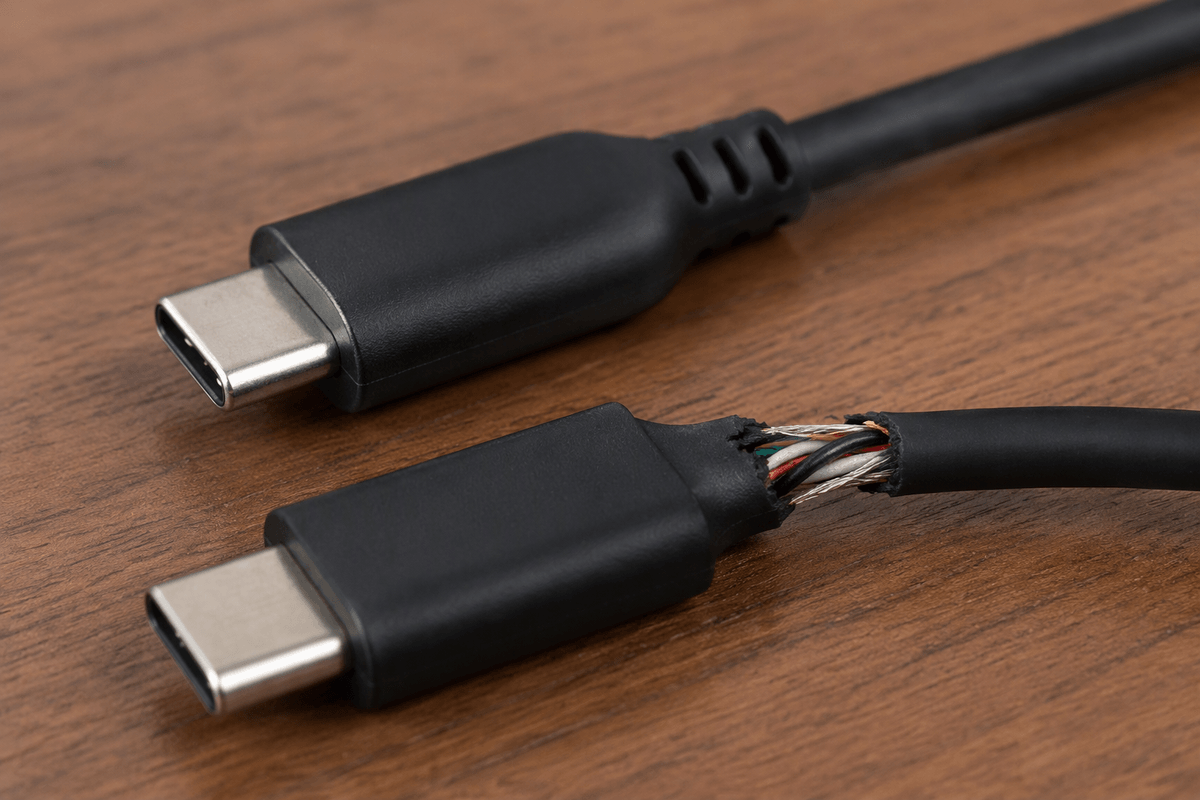
Two chargers can look nearly identical from the outside, but the reliable one usually has better internal basics: a fuse, proper insulation spacing, heat-resistant plastics, and components sized to handle their rated power without running on the edge. Risky chargers often cut corners you can’t see—thin wiring, weak strain relief where the cable meets the connector, sloppy soldering, or missing protections that prevent overheating if something goes wrong.
Compatibility matters just as much as build quality. A charger that can’t negotiate the right voltage for your device (common with older or no-name USB-C bricks) may run hotter, charge inconsistently, or push the cable and connector harder than they should. Higher wattage isn’t automatically dangerous, but it does raise the stakes if the charger or cable is poorly made, because there’s more power available when a fault happens.
A quick safety check: label, wattage, cable, and fit
A fast check starts with the label on the brick. Look for a clear brand or model name, electrical ratings, and a safety mark that matches where you’re using it (in the U.S., “UL” or “ETL” is a common sign it was tested; a vague “CE” alone doesn’t tell you much). If the printing is blurry, missing, or covered by a sticker, treat it as a lower-trust charger. For USB-C, the label should list output modes (for example 5V, 9V, 15V, 20V) rather than a single number with no context.
Wattage is the second pass. A phone can use a 30W+ USB-C charger safely if it’s well-made, but the cable must also be rated for it; thin “freebie” cables can overheat at higher power. Run your fingers along the cable: soft spots, lumps, cuts, or a loose connector are stop-using-now issues. Finally, check fit. The plug should sit firmly in the outlet and the USB end should not wobble in the device. A loose fit creates heat at the contact point, especially on power strips and travel adapters.
High-risk situations: where and how you charge matters
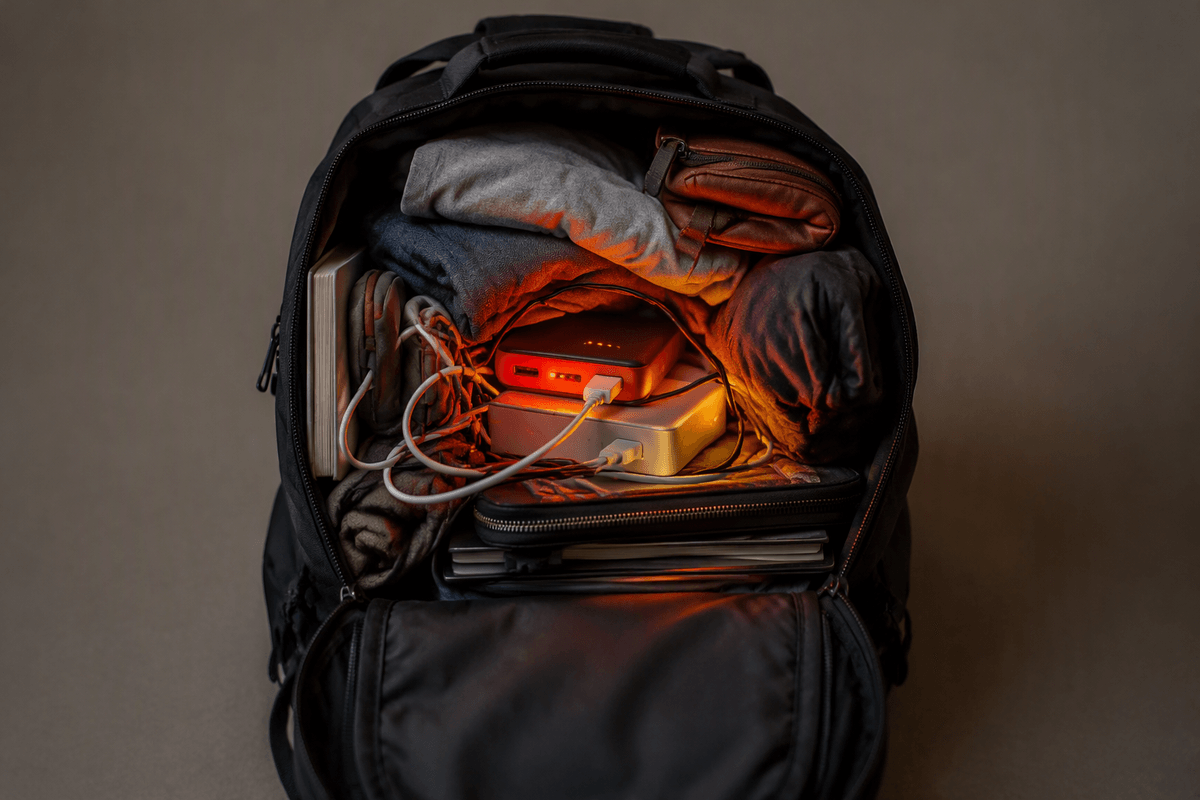
You’ve probably seen the “I’ll just plug it in here” moments that quietly raise risk: charging on a bed or couch, tucking the brick under a pillow, or leaving it buried in a backpack while it’s working. Chargers shed heat through their plastic case, so blocking airflow makes a normal warm charger become a hot one. The same goes for charging on a sunny car dashboard, near a space heater, or inside a tightly packed drawer.
Outlets and adapters matter too. A loose wall outlet, a worn power strip, or a wobbly travel adapter can create resistance at the contact point, which is where heat builds first. High-power laptop charging on a cheap extension cord or a crowded strip is a common setup, but it adds more connections that can loosen over time. If you need to charge in a tight space, the practical trade-off is simple: move the charger to a hard, open surface and accept a slightly messier cable route for a cooler, steadier connection.
What to do if a charger seems unsafe (without guessing)
The moment a charger gives you a “this feels wrong” signal—sharp burning smell, sizzling or crackling, visible smoke, a melted spot, or a plug that’s too hot to keep your fingers on—stop using it immediately. Unplug it from the wall first (not just from the device), and don’t test it again “just to see.” If the outlet or power strip looks scorched or the plug was loose and hot, move to a different outlet and plan to replace that strip or have the outlet checked, because the problem may not be only the charger.
When the signs are less dramatic but repeatable—charging cuts in and out when the cable moves, the brick gets hotter than your other chargers, or the connector is discolored—treat it like a fault you can’t diagnose at home. Retire the charger and cable as a set if you’re not sure which one is causing the heat. Let it cool on a nonflammable surface, then take clear photos and contact the seller or manufacturer about a return or recall. The cost is inconvenience, but the “wait and see” approach is what turns minor damage into a failure.
Buying a safer replacement without overspending
The cheapest safe upgrade is usually a mainstream, properly certified charger that matches your device’s needs, not the highest-wattage brick on the shelf. In the U.S., look for UL Listed or ETL on the charger itself (not just the box), a clear brand/model, and readable output ratings. If your phone or laptop supports USB-C Power Delivery, a 30–45W PD charger covers most phones and many tablets, while many laptops need 65W or more—buy to your actual requirement.
Spend on the cable too, because a bargain cable can be the weak link at higher power. Avoid bundles with vague labels, misspelled markings, or unusually light bricks. Refurbished OEM chargers can be a good value, but only if the seller is reputable and the return policy is straightforward.