You need a language app fast—before you waste another week testing “free” downloads
You open the Play Store, type “learn Spanish,” and get buried in shiny screenshots and 4.7-star reviews. Then you download three “free” apps, do two lessons, and hit a lock: streak features, offline packs, speaking practice, or even basic grammar tips suddenly cost money.
The real cost isn’t the subscription offer—it’s the week you lose while your motivation is high. Worse, some apps feel free because they drip-feed easy wins, but they don’t match what you need right now, like saying things out loud or understanding fast speech.
Before you pick anything, decide what “progress” means in the next 14–30 days.
First decision: what do you actually need in 14–30 days (phrases, conversations, or vocabulary)?
“Progress” usually sounds like “I can do a little of everything,” but in the next 14–30 days, you only get reliable results if you pick the one thing you’ll actually use. If your goal is travel, you need phrases you can say without thinking: greetings, ordering, directions, “sorry, I don’t understand.” That’s short, repeatable practice, not long lesson trees.
If you’re relocating or starting a job, phrases won’t hold. You need conversations: listening to full sentences, answering back, and staying calm when you miss a word. That pushes you toward apps with lots of audio and fast repetition, even if the interface looks “less fun.”
If you’re restarting after a long gap, vocabulary may be the quickest win—especially for reading signs, emails, or menus. The downside: word lists feel productive, but they don’t fix pronunciation, so you’ll still freeze when you have to speak.
How to spot a paywall before you invest your motivation
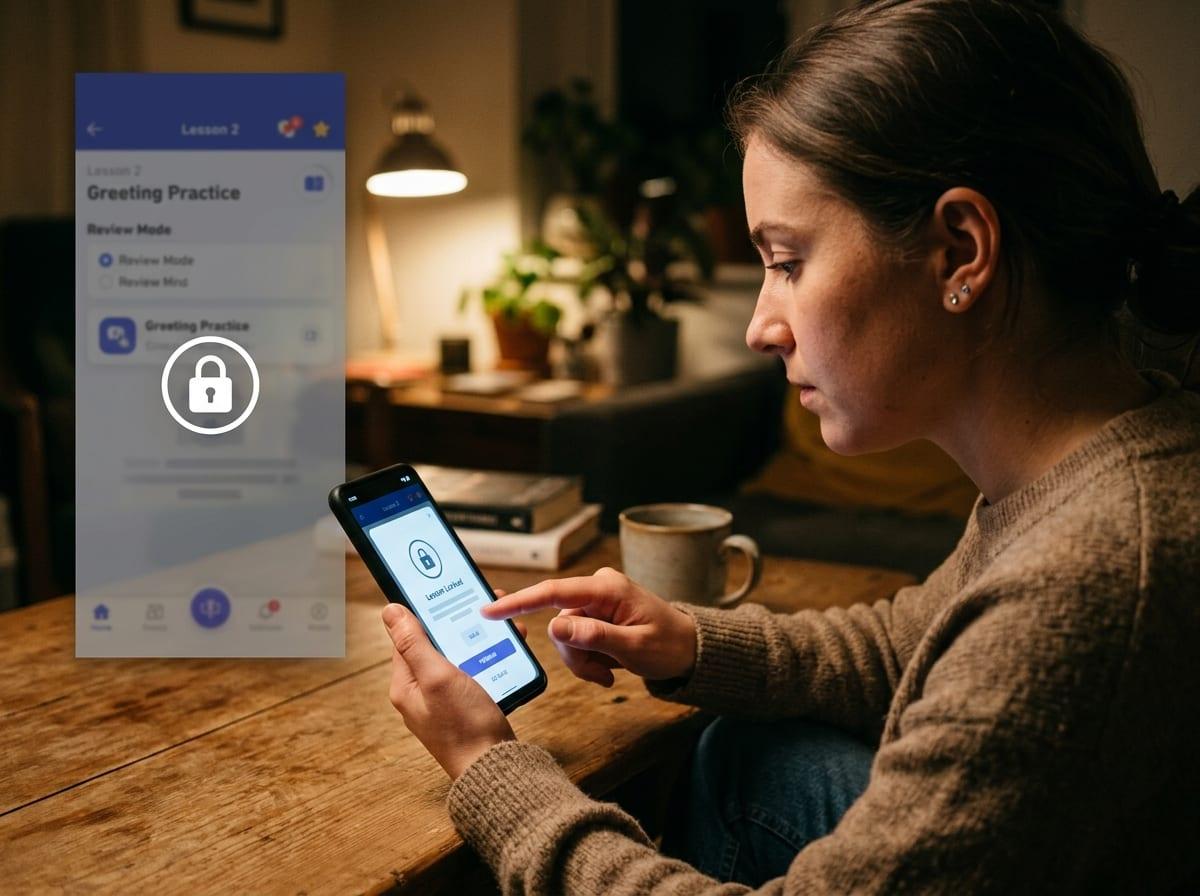
That mismatch is annoying, but the bigger problem is getting two days in and realizing the “free” version can’t support the one thing you picked. In the Play Store, don’t trust the word “free.” Check what the app sells.
Open the listing and tap In-app purchases. If you see price points like “Monthly,” “Yearly,” or “Lifetime,” assume core features may be gated. Then skim the most recent reviews for the same phrases repeated: “everything locked,” “can’t continue,” “limited lessons,” “speaking behind paywall.” One angry review can be noise; ten saying the same thing is a pattern.
Inside the app, do a 3-minute test: try a second lesson, a review mode, and one speaking or listening activity. If you hit a “start free trial” screen before you can repeat yesterday’s material, you’re not choosing an app—you’re choosing a subscription funnel.
Three truly free picks—and the moment each one finally “clicks”
If you want to dodge the subscription funnel entirely, pick one tool that stays useful even when you never upgrade. These three do—each for a different “next 30 days” definition of progress.
Language Transfer clicks when you stop “listening to a lesson” and start answering out loud, pausing the audio and forcing your brain to build the sentence first. It’s great for getting comfortable with structure and basic speaking flow, but it won’t give you a big vocabulary, and its course list is limited.
AnkiDroid clicks around day 4–7, when reviews surface words right before you would’ve forgotten them—and your menu/sign/email words stop slipping away. The cost is upfront: picking a good deck or making cards takes real time.
Tandem clicks the first time you keep a simple chat going for 3 minutes without switching to English. The hard part is humans: matching, flaky partners, and nerves—so you may need a few tries.
If you’re traveling: can you say it out loud under pressure?
That “click” moment matters most when you’re standing at a counter and need the words now, not later. Travel pressure is simple: noise, speed, and one chance to get understood. If you can’t say a phrase out loud without reading it, you don’t really have it yet.
For the next 14–30 days, treat speaking as a stress test. Use Language Transfer for 10 minutes and answer every prompt out loud, even when you’re wrong. Then take 5 phrases you’ll actually use (“Where is…,” “I’d like…,” “How much…,” “Sorry,” “I don’t understand”) and drill them as AnkiDroid cards with audio or your own recording. Finish with one short Tandem voice note or call, because real people won’t wait for you to “remember the lesson.”
The annoying constraint: you’ll feel slow and repetitive, and Tandem can be unpredictable. But that’s also the point—if you can handle it in practice, you’re less likely to freeze when the trip starts.
If you’re relocating or using the language for work: where do you get daily reps without burnout?

That unpredictability doesn’t go away when you relocate—it just shows up every day. You’ll need reps that fit between messages, meetings, and errands, not a 45‑minute “perfect study session” you never start.
If you’re using the language for work, split practice into three small loops. Use Language Transfer for 8–12 minutes to keep sentence-building automatic, then stop. Use AnkiDroid for 5 minutes on job-specific words you keep seeing (tools, tickets, emails, numbers), and delete or suspend cards that waste time. Use Tandem 2–3 times a week for a focused task: a 3‑minute voice note explaining what you did today, or a short role-play like scheduling, apologizing, or clarifying.
The real difficulty is fatigue: after work, your brain won’t tolerate endless drills or random chats. Keep sessions short, repeat the same scenarios, and save “new stuff” for days when you have energy.
Your first week plan (so you don’t end up app-hopping again)
That “keep sessions short” rule is what prevents the usual week-one spiral: you do too much on day 1, miss day 2, then start hunting for a “better” app. Instead, run a simple seven-day loop where each tool has one job.
Days 1–2: Language Transfer 10 minutes (out loud, pausing to answer), then AnkiDroid 5 minutes (20–30 cards max). Build or pick one small deck only: travel phrases, job words, or survival basics. Don’t add cards you won’t say this month.
Days 3–5: Same two blocks, plus one Tandem message a day. Keep it narrow: a 3–4 sentence intro, a daily update, or one question you’ll reuse. Days 6–7: Do one 5-minute Tandem voice note or call and notice what you couldn’t say—then make 10 Anki cards from that. The friction is real: deck setup and flaky partners. Put a 15-minute cap on the whole routine so it stays repeatable.
What “free” can’t replace—and how to fill that gap cheaply
That 15-minute cap keeps you consistent, but it also exposes what “free” can’t reliably give you: corrective feedback. Apps won’t tell you that your word order sounds off, your vowel is wrong, or your “polite” phrase sounds blunt in real life—until someone reacts.
Fill that gap cheaply by buying small, targeted help. Do one 30-minute tutor session every 2–4 weeks (not a weekly subscription) and bring a list: 10 sentences you actually need, plus 3 recordings of you saying them. If money is tight, trade: ask a Tandem partner to correct one voice note, line by line, instead of “just chatting.”
Keep the rule simple: free tools build reps; humans fix the parts reps can’t.